Getting Started with Mobdro
No idea how to install Mobdro? Never worry or give up: Here’s a quick guide that will explain how you hit the ground running in just a few seconds.
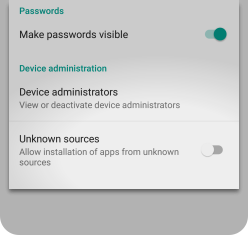
1. Enable unknown sources
For Mobdro to install properly, you have to allow apps from unknown sources. To do so, open the SETTINGS of your device, scroll down and tap on SECURITY. Scroll down again to find UNKNOWN SOURCES and allow the installation of apps other than the Play Store.
Your phone or tablet will ask you to confirm. Tap on OK to do so
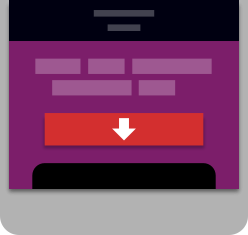
2. Download the app
Download the free app from this website with your mobile device. It’s fully functional and you can use it for as long as you like.
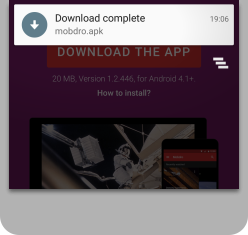
3. Install
As soon as the download is complete, pull down your notification screen and tap on the download notification.
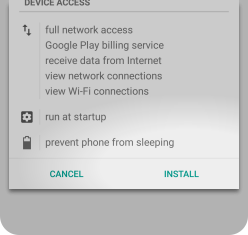
4. Confirm
Your phone or tablet will ask you to confirm the requirements that the Mobdro app needs, such as network access. Tap on INSTALL and voilà — have fun with your videos.